Contents
- Overview
- When This Process Occurs
- Appsettings & TMS User Configuration
- How Geotab Fields On A User Are Updated
- What Information Is Updated On Users In Geotab
Overview
GeotabAuthenticationPostResponseProcessing is a service that is triggered after a user that uses Geotab either successfully logs into the Eleos application or is already logged in and needs their authentication token verified. This service is responsible for automatically managing and updating information on users within MyGeotab when their user information from the database connected to the TMS does not match. This automatic management provides a more seamless experience by ensuring driver information in MyGeotab is up to date with the driver’s information pulled from the TMS database.
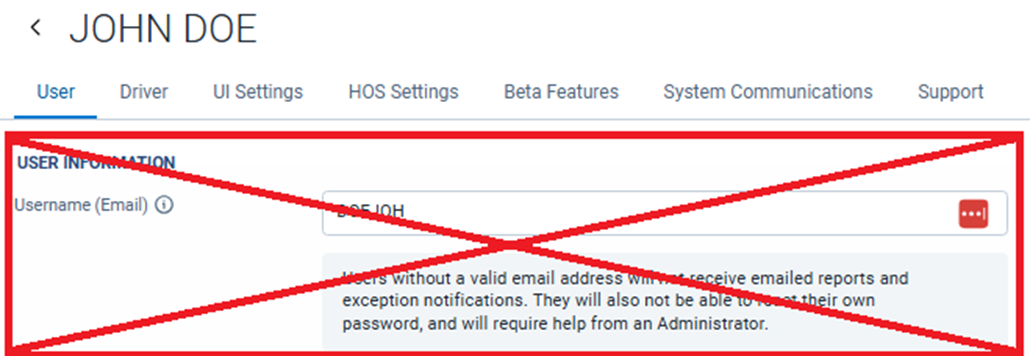
Note there is a caveat to this management of user information in MyGeotab. The updates do not include updating the “Username (Email)” portion under the “User” tab. A mismatch between the Geotab username and the TMS username will break this process and the link between the Eleos application and Geotab Drive application. More information on this can be found in the “Geotab Automatic User Creation” document.
When This Process Occurs
After the AuthenticationController responds to the initial processing and post processing has completed, GeotabAuthenticationPostResponseProcessing is triggered. First the process gets the user from the TMS. Then conditional checks are performed to verify that Geotab is enabled within in the integration’s appsettings, the user being verified or logging in is configured to use Geotab, and that the user has fields that can be updated in Geotab. Once these settings and user configurations are checked, the service then proceeds with updating any needed fields in MyGeotab on the user profile.
Note that this process is intentionally delayed by ten seconds to allow for prior processes, such as automatic user creation, to finish before trying to make any updates to the user in MyGeotab.
Appsettings & TMS User Configuration
While a customer using Geotab should already have Geotab enabled and their Geotab database configured, the following settings should be reviewed and verified for accuracy to allow the GeotabAuthenticationPostResponseProcessing to retrieve and update users within a connected Geotab database:
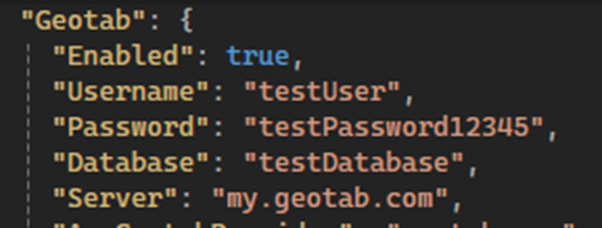
These Geotab settings should be configured for connection with your Geotab database to both retrieve and update User Profile based on Authentication responses.
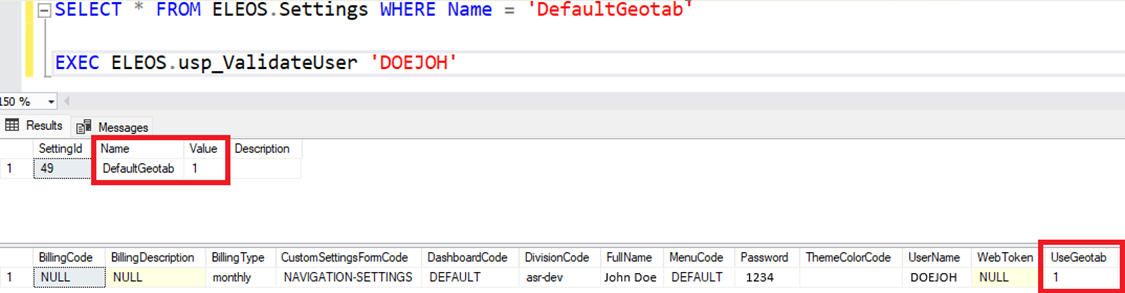
This database setting shown above can be verified by selecting from the ELEOS.Settings table and looking for the “DefaultGeotab” setting to see if the default for all drivers is configured to use Geotab or not. Drivers can also be checked individually to determine if they are configured to use Geotab too by executing the ELEOS.usp_ValidateUser procedure passing in their username.
How Geotab Fields On A User Are Updated
Once the GeotabAuthenticationPostResponseProcessing has verified that all required conditions have been met, it calls the GeotabService to perform the work. First, the service makes an API call to Geotab to search for and retrieve the existing Geotab user. This is done by using the username sourced from the database to search and find the user in Geotab. If a Geotab user is returned from the API call, the integration proceeds with making a copy of the retrieved Geotab user object for comparison. Properties on the user object are compared against the Authentication reponse properties to determine if updates are necessary. If nothing has changed, no updates or subsequent API calls are needed. If differences are found, internally, the integration will map the new User object with the included updates. Then, push the updated user back into the Geotab database.
What Information Is Updated On Users In Geotab
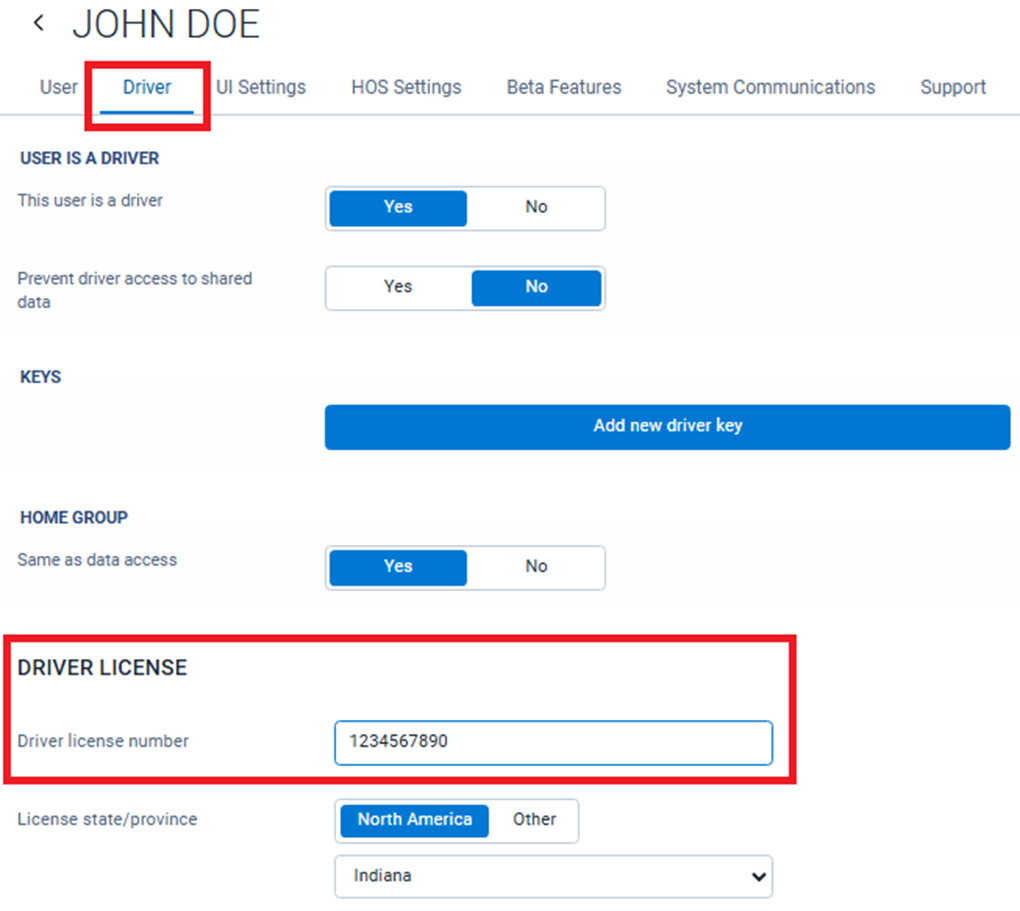
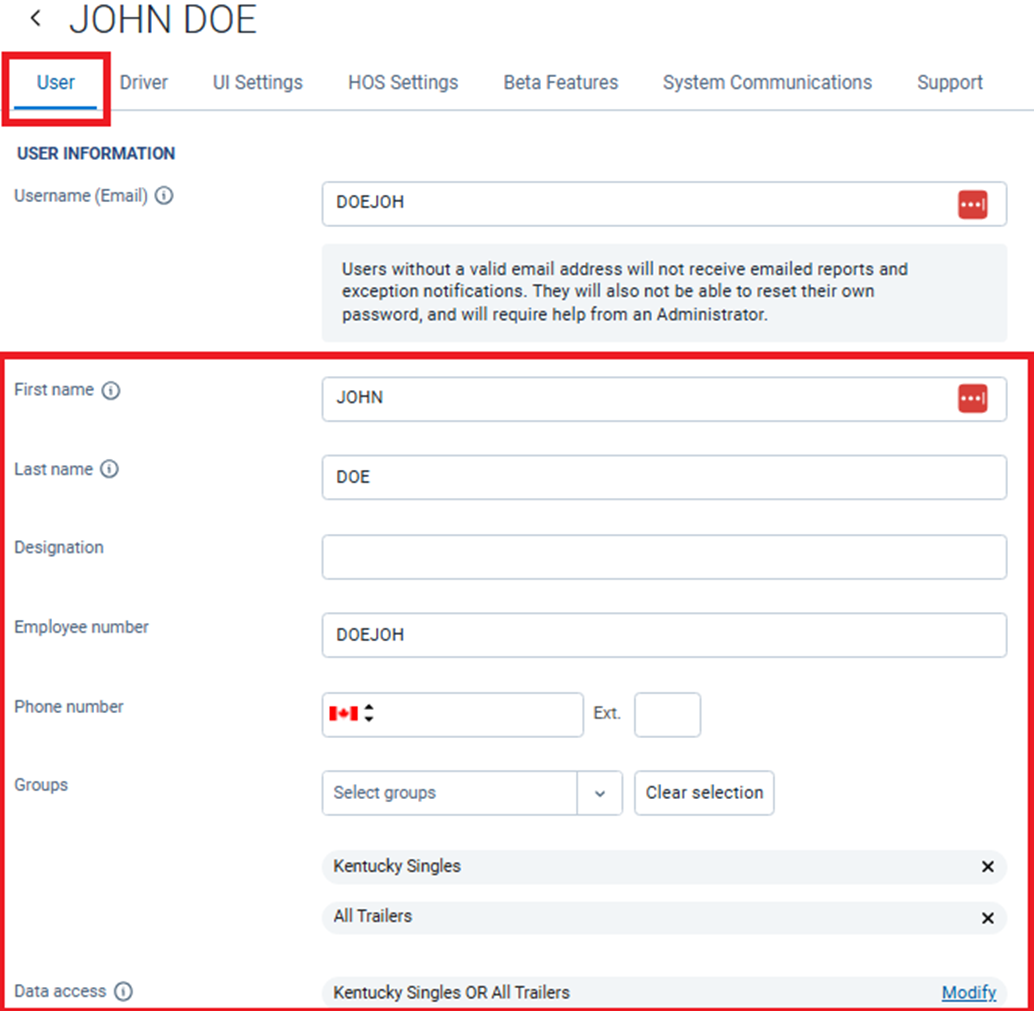
When updates are required, pushing the Geotab user back into the database via API call will update information under the “Driver” tab such as “Driver license number”, if needed and information under the “User” tab for user properties (excluding the “Username (Email)”). Properties include first name, last name, driver and (or) company related groups etc. that aren’t currently populated accurately.